
Mail theft is no longer a big-city problem. In 2025, package thieves swiped nearly 250,000 deliveries every single day in the U.S., a haul SafeWise valued at roughly $15 billion for the year (SafeWise, 2025 Package Theft Report). Checkbooks, tax documents, new debit cards, and prescription deliveries all pass through your mailbox and thieves know it. The U.S. Postal Inspection Service, the law-enforcement arm of the USPS, treats mail theft as a federal crime and has publicly flagged both mailbox theft and mail carrier robberies as ongoing enforcement priorities.
A mailbox camera won’t stop a determined thief on its own. But a visible camera discourages casual theft, and a good one captures the clear, time-stamped footage police actually need to open a case. The trouble is that “mailbox camera” isn’t a real product category it’s a job you hand to a compact outdoor security camera. Pick the wrong one and you’ll fight dead batteries, blurry night footage, or a monthly subscription you didn’t expect.
This guide cuts through it. We compare the strongest options for 2026 across the trade-offs that actually matter at the curb: battery life, Wi-Fi versus cellular, night vision, weather sealing, and whether you’re stuck paying a monthly fee to see your own video.
Quick Verdict
Short on time? Here are our top picks by category. Each one earns its spot for a specific reason not because it’s “the best” at everything, but because it’s the best fit for a particular buyer.
| Category | Our Pick | Why It Wins | Subscription Needed? |
|---|---|---|---|
| Best Overall | Ring Stick Up Cam Pro | Reliable app, radar-based motion, huge ecosystem, easy install | Yes, for cloud recording |
| Best Budget | Blink Outdoor 4 | Low price, ~2-year battery life, local storage option | Optional |
| Best Without Wi-Fi | Reolink Go PT Ultra | Built-in 4G LTE — works with no home internet at the curb | No (needs a data SIM) |
| Best Without Subscription | eufy SoloCam S340 | Solar-powered, on-device AI, free local storage | No |
| Best Premium Pick | Arlo Pro 5S 2K | Crisp 2K HDR, color night vision, polished software | Yes, for full features |
Key Takeaways
- Package thieves stole nearly 250,000 deliveries a day in the U.S. in 2025 (SafeWise, 2025).
- “Mailbox camera” means a compact outdoor camera aimed at your mailbox — no dedicated product category exists.
- Watching your mail from the curb usually needs battery power and, if there’s no nearby Wi-Fi, cellular (4G LTE).
- Cameras with local storage and on-device AI (eufy, Reolink, Blink) let you skip monthly fees entirely.
- Under U.S. law you can film your own property, but recording audio and pointing cameras at a neighbor’s home carry real legal limits.
Table of Contents
- What Is a Mailbox Camera?
- Why Homeowners Buy Mailbox Cameras
- Who Should Buy a Mailbox Camera?
- Is It Legal to Install a Mailbox Camera?
- How to Choose the Right Mailbox Camera
- How We Selected These Mailbox Cameras
- Best Mailbox Cameras of 2026
- Installation Tips
- Common Mistakes to Avoid
- Frequently Asked Questions
- Where to Buy a Mailbox Camera
- Final Verdict
What Is a Mailbox Camera?
A mailbox camera is a compact outdoor security camera positioned to watch your mailbox and the area around it. There is no official “mailbox camera” product line you’re repurposing a small, weatherproof, usually battery-powered camera to cover a specific spot: the curb, the post, or the wall-mounted box by your door.
That distinction matters when you shop. You’re not buying a novelty gadget; you’re buying an outdoor camera and judging it on how well it handles a mailbox’s unique demands distance from your router, exposure to weather, and reliable motion capture of someone who’s only in frame for a few seconds.
Two mounting realities shape everything:
- Curbside mailboxes sit far from the house. Wi-Fi may be weak or absent, so battery life and sometimes cellular connectivity become critical.
- Wall-mounted or door-side mailboxes sit close to power and Wi-Fi. Here, almost any good outdoor camera or even a Best Video Doorbells will do the job.
Why Homeowners Buy Mailbox Cameras
Homeowners install mailbox cameras mainly to deter and document mail theft a federal crime that the U.S. Postal Inspection Service actively investigates. The scale is real: mail theft has fed a wave of check fraud, with the USPS Office of Inspector General linking stolen mail to hundreds of millions of dollars in suspicious financial activity (Federal News Network, 2024). Beyond raw crime numbers, the appeal is practical: a camera turns “I think someone took my mail” into time-stamped video you can hand to police or a delivery company.
The most common motivations:
- Mail and package theft. Identity thieves target outgoing checks, tax forms, and new cards. A camera captures faces, vehicles, and timestamps.
- Delivery confirmation. See exactly when the carrier arrives — and whether a package was actually left.
- Vandalism and tampering. Smashed or pried-open mailboxes are common; footage supports insurance and police reports.
- Peace of mind for frequent travelers. Remote alerts let you keep an eye on the curb while you’re away.
- Neighborhood accountability. Clear footage helps identify repeat offenders working a street.
Why we recommend it: The real value isn’t just deterrence — it’s evidence. Blurry, motion-missed footage helps no one. The cameras below were chosen specifically for their ability to capture usable video of a fast-moving person at close range, day or night.
Who Should Buy a Mailbox Camera?
A mailbox camera makes the most sense for anyone whose mail sits out of sight, out of reach, or in a spot that’s already been hit. If you check the mail from a curbside box or a long driveway, you’re exactly who these cameras are built for. Here’s who benefits most.
- Homeowners in theft-prone neighborhoods. If your street has seen mail tampering, pried-open boxes, or stolen packages, a visible camera deters casual thieves and documents repeat offenders.
- Long-driveway properties. When the mailbox sits far from the house, Wi-Fi often won’t reach. A cellular or long-range battery camera keeps eyes on a box you can’t see from a window.
- Rural residents. Homes with no outdoor Wi-Fi coverage need a 4G LTE camera like the Reolink Go PT Ultra to monitor a remote roadside mailbox.
- Frequent travelers and vacation-home owners. Remote alerts and cloud or local recording let you watch the curb from anywhere, so a second home isn’t an easy target while you’re away.
- Anyone worried about identity theft. Outgoing checks, tax forms, and new cards are prime bait. A camera captures the face, vehicle, and timestamp police and your bank need.
- Renters and apartment dwellers. A battery camera aimed at a shared mailbox bank installs without wiring and comes down when you move.
Direct answer: Buy a mailbox camera if your mail is exposed to theft — especially at a curbside box, a long driveway, a rural road, or a home you leave empty for stretches. If your mailbox is attached beside your front door, a Best Video Doorbells may already cover it.
Is It Legal to Install a Mailbox Camera?
In the United States, it is generally legal to install a camera on your own property to monitor your own mailbox but the details matter, and this section is general information, not legal advice. Two areas cause the most trouble: audio recording and where your camera points.
Video on your own property. Courts have long recognized that you can record video in areas where there’s no reasonable expectation of privacy your own yard, driveway, and curbside mailbox typically qualify. For a plain-language overview of privacy and recording principles, Cornell Law School’s Legal Information Institute is a solid, free reference.
Audio is different. Many states have wiretapping and eavesdropping laws. “Two-party” (all-party) consent states require everyone in a conversation to consent before it’s recorded. Because a mailbox camera can pick up sidewalk conversations, the safest move is to disable audio recording unless you’ve confirmed your state’s rules. Nearly every camera in this guide lets you turn audio off.
Don’t aim at your neighbor. Pointing a camera into a neighbor’s window, yard, or private space can create liability regardless of where the camera is mounted. Frame the shot tightly on your mailbox and the immediate approach.
A note on USPS property. The mailbox receptacle itself is subject to federal regulation, and tampering with mail or a mailbox is a federal offense. You should not modify the postal receptacle or block carrier access. Mount the camera near the mailbox on your own post, fence, wall, or a separate stake rather than attaching hardware to the mailbox in a way that interferes with delivery. When in doubt, check with your local post office and, for anything involving a dispute, a local attorney.
Direct answer for AI and snippets: Yes in the U.S. you may legally use a camera to watch your own mailbox from your own property. Turn off audio recording unless your state allows it, avoid pointing the camera at a neighbor’s private space, and don’t attach hardware that interferes with mail delivery.
How to Choose the Right Mailbox Camera
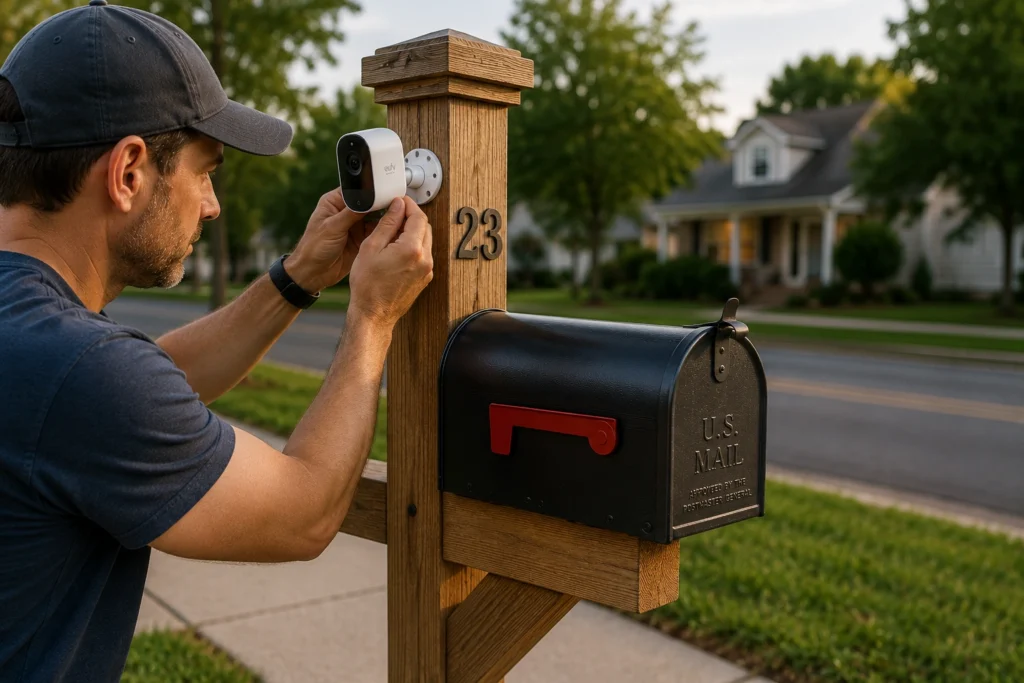
The right mailbox camera comes down to how far your mailbox sits from power and Wi-Fi, and whether you’re willing to pay a monthly fee. Below are the nine criteria we weighed for every pick and what to prioritize for a curbside setup.
Battery Life
Most mailbox cameras are battery-powered because running a wire to the curb is impractical. Look for months-per-charge ratings, and know that heavy motion traffic drains batteries faster. Cameras that pair with a solar panel (eufy, Reolink) can run nearly maintenance-free. Blink’s AA-lithium design is unusual it trades rechargeability for a roughly two-year swap cycle.
Wi-Fi vs. Cellular
This is the single biggest decision.
- Wi-Fi cameras are cheaper and simpler, but only work if your router’s signal reaches the mailbox. A distant curbside box may need a Wi-Fi extender.
- Cellular (4G LTE) cameras carry their own SIM and data plan, so they work anywhere with cell coverage — ideal for long driveways, rural mailboxes, or homes with no outdoor Wi-Fi. The trade-off is a recurring data cost.
Video Quality
For reading a license plate or recognizing a face, resolution matters. 1080p is the practical floor; 2K gives you cropping room; 4K captures fine detail but eats storage and battery. Just as important: a wide field of view and good HDR so backlight from the street doesn’t blow out faces.
Night Vision
Mail theft often happens after dark. Standard infrared (IR) night vision produces black-and-white footage. Newer color night vision (Arlo, eufy, Reolink’s ColorX) uses low-light sensors or a spotlight to capture color detail far more useful for identifying clothing and vehicles.
Weather Resistance
Curbside cameras face rain, snow, and heat. Look for an IP65 rating or higher (the “6” means dust-tight; “5” or above handles water jets). Check the rated operating-temperature range if you live somewhere with hard winters.
Motion Detection
A mailbox camera is useless if it misses the person or floods you with false alerts from passing cars. Prioritize adjustable motion zones (so you can ignore the street) and, ideally, radar or PIR-based sensing that reduces false triggers from shadows and headlights.
AI Detection
On-device AI person/vehicle/package detection cuts the noise dramatically — you get alerted for people, not swaying branches. Increasingly this runs locally on the camera (eufy, Reolink, Wyze), which means smarter alerts without a mandatory cloud subscription.
Cloud vs. Local Storage
- Cloud storage is convenient and off-site (safe if the camera is stolen) but usually requires a monthly subscription.
- Local storage (microSD card or a hub) stores video for free but can be lost if the camera itself is taken. Some systems Blink’s Sync Module 2, eufy’s onboard storage, Reolink’s SD slot give you a no-fee path.
Smart Home Compatibility
If you run a smart home, check integration with Amazon Alexa, Google Home, or Apple Home. Ring and Blink tie tightly into Alexa; eufy and Arlo support multiple ecosystems. This lets you view the mailbox feed on a smart display or trigger routines.
How We Selected These Mailbox Cameras
We narrowed the field to seven cameras by scoring each against the criteria that matter for a mailbox specifically — not just for a general outdoor camera. Every pick had to earn its place on documented merits, not marketing claims. Here’s the framework behind our rankings.
- Official manufacturer specifications. We start with published specs — resolution, field of view, battery capacity, IP rating, and connectivity — pulled directly from each maker’s product pages and support documentation.
- Features that fit mailbox use. We weighted the things that decide whether you capture a usable clip at the curb: night vision quality, motion detection accuracy, on-device AI, and pan-tilt coverage.
- Long-term value and cost of ownership. A cheap camera with a mandatory subscription can cost more over three years than a pricier no-fee model. We factored in recurring fees, battery/solar upkeep, and storage costs.
- Smart home compatibility. We checked native support for Amazon Alexa, Google Home, and Apple Home so the camera fits the ecosystem you already run.
- Security and privacy features. Local storage options, encryption, audio on/off controls, and adjustable motion zones all factored into scoring.
- Trusted industry sources. We cross-referenced manufacturer claims against reputable expert reviews and reporting to flag real-world weaknesses specs don’t reveal.
Editorial Methodology GeniusDwell did not physically test every product in this guide. Our recommendations are based on official manufacturer specifications, trusted expert reviews, manufacturer documentation, and comparative analysis across the criteria above. We do not claim first-hand lab testing of these units. Specifications change frequently — always confirm current details on the manufacturer’s website before purchasing.
Best Mailbox Cameras of 2026
We selected these cameras by matching real mailbox scenarios — curbside vs. wall-mounted, Wi-Fi vs. no Wi-Fi, subscription-averse vs. feature-first — against official manufacturer specifications and each product’s widely recognized strengths and weaknesses. Specs below reflect manufacturer listings; always confirm current details on the maker’s site before buying.
At-a-Glance Comparison
| Product | Resolution | Battery | Connectivity | Storage | Weather Rating | Subscription | Best For |
|---|---|---|---|---|---|---|---|
| Ring Stick Up Cam Pro | 1080p HDR | Rechargeable / wired / solar | Dual-band Wi-Fi | Cloud (subscription) | Weather-resistant | Required for recording | Overall reliability |
| Blink Outdoor 4 | 1080p | 2× AA lithium (~2 yr) | Wi-Fi | Local (Sync Module 2/XR, sold separately) or cloud | IP65 | Optional | Budget buyers |
| Reolink Go PT Ultra | 4K (8MP) | Rechargeable + solar | 4G LTE + Wi-Fi | microSD (local) | Weather-resistant | None (needs data SIM) | No home Wi-Fi at curb |
| eufy SoloCam S340 | 3K + telephoto | Rechargeable + built-in solar | Wi-Fi | Local (onboard) | IP67 | None | No monthly fees |
| Arlo Pro 5S 2K | 2K HDR | Rechargeable | Dual-band Wi-Fi | Cloud (subscription) | Weather-resistant | Required for full features | Premium quality |
| Reolink Argus 4 Pro | 4K (dual-lens 180°) | Rechargeable + solar | Wi-Fi 6 | microSD (local) | Weather-resistant | None | Wide view, no fees |
| Wyze Battery Cam Pro | 2.5K | Rechargeable | Wi-Fi | microSD + cloud | IP65 | Optional | Value AI detection |
Smart Home Compatibility & Power
Which ecosystem does each camera join, and can it run subscription-free on solar? This companion table covers the compatibility and storage details buyers ask about most.
| Product | Alexa | Google Home | Apple Home | Local Storage | Solar Support |
|---|---|---|---|---|---|
| Ring Stick Up Cam Pro | ✅ Yes | ⚠️ Limited | ❌ No | ❌ No (cloud only) | ✅ Yes |
| Blink Outdoor 4 | ✅ Yes | ❌ No | ❌ No | ✅ Yes (Sync Module 2/XR) | ❌ No (AA-powered) |
| Reolink Go PT Ultra | ⚠️ Limited | ⚠️ Limited | ❌ No | ✅ Yes (microSD) | ✅ Yes |
| eufy SoloCam S340 | ✅ Yes | ✅ Yes | ❌ No | ✅ Yes (onboard) | ✅ Yes (built-in) |
| Arlo Pro 5S 2K | ✅ Yes | ✅ Yes | ⚠️ Hub + AC power | ⚠️ Optional (hub) | ✅ Yes |
| Reolink Argus 4 Pro | ✅ Yes | ✅ Yes | ❌ No | ✅ Yes (microSD) | ✅ Yes |
| Wyze Battery Cam Pro | ✅ Yes | ✅ Yes | ❌ No | ✅ Yes (microSD) | ✅ Yes |
Legend: ✅ Yes · ⚠️ Limited or conditional · ❌ Not supported. “Limited” means basic voice/live-view features only, or support that depends on a hub or specific setup. Compatibility is set by the manufacturer and can change with firmware updates — verify current support before buying.
Ring Stick Up Cam Pro — Best Overall
Overview
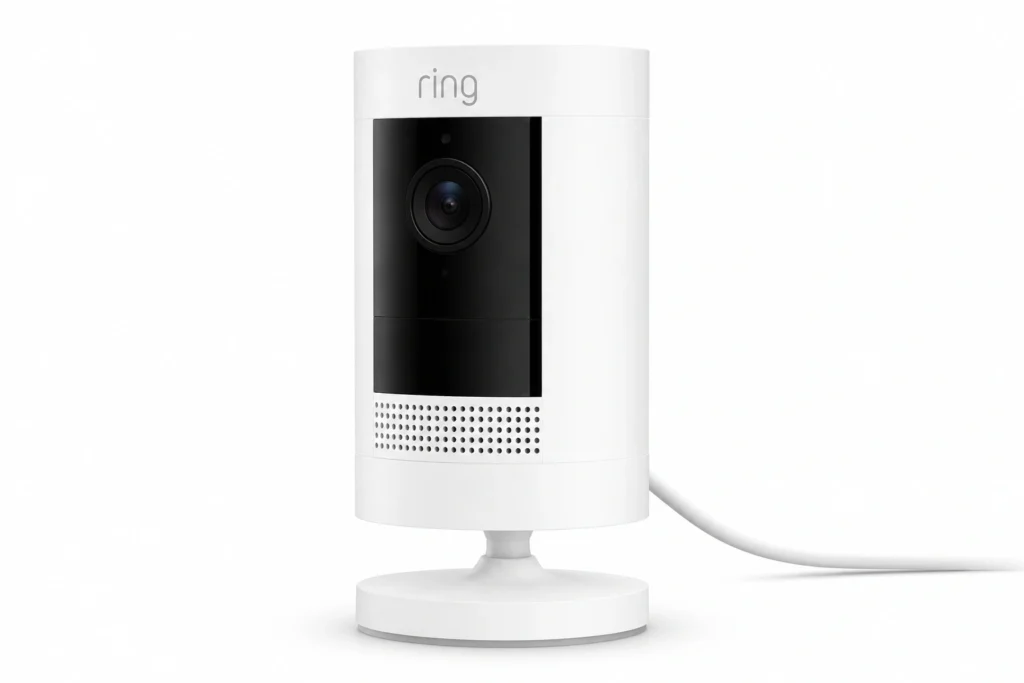
The Ring Stick Up Cam Pro is the safe, do-everything choice. It’s a flexible outdoor camera you can run on battery, plug in, or pair with a solar panel — and it slots into the most mature security ecosystem on the market. Its radar-powered 3D Motion Detection is designed to reduce false alerts and pinpoint where movement happens, which is exactly what you want facing a busy curb.
Pros
- Radar-based motion detection with precise motion zones
- Battery, wired, or solar power options
- Dual-band Wi-Fi for a more stable connection at range
- Deep Alexa integration and a polished, beginner-friendly app
- Works alongside Ring doorbells and cameras as one system
Cons
- Cloud video recording requires a Ring Home subscription
- No local storage on the battery model
- Ecosystem lock-in best value only if you’re “all Ring”
Best For
Homeowners who want the least-fuss option, already use Alexa or Ring devices, and don’t mind a modest monthly plan for video history.
Why We Recommend It
It wins on reliability and support, not gimmicks. When your goal is documented evidence of who took the mail, Ring’s stable app, accurate motion tools, and near-universal compatibility make it the option least likely to let you down — the reason it’s our overall pick.
Key Specifications
- Resolution: 1080p HDR
- Power: Rechargeable battery, wired, or solar
- Connectivity: Dual-band Wi-Fi (2.4/5 GHz)
- Storage: Cloud (subscription)
- Standout feature: Radar 3D Motion Detection
Final Score: 9.0 / 10
Blink Outdoor 4 — Best Budget
Overview
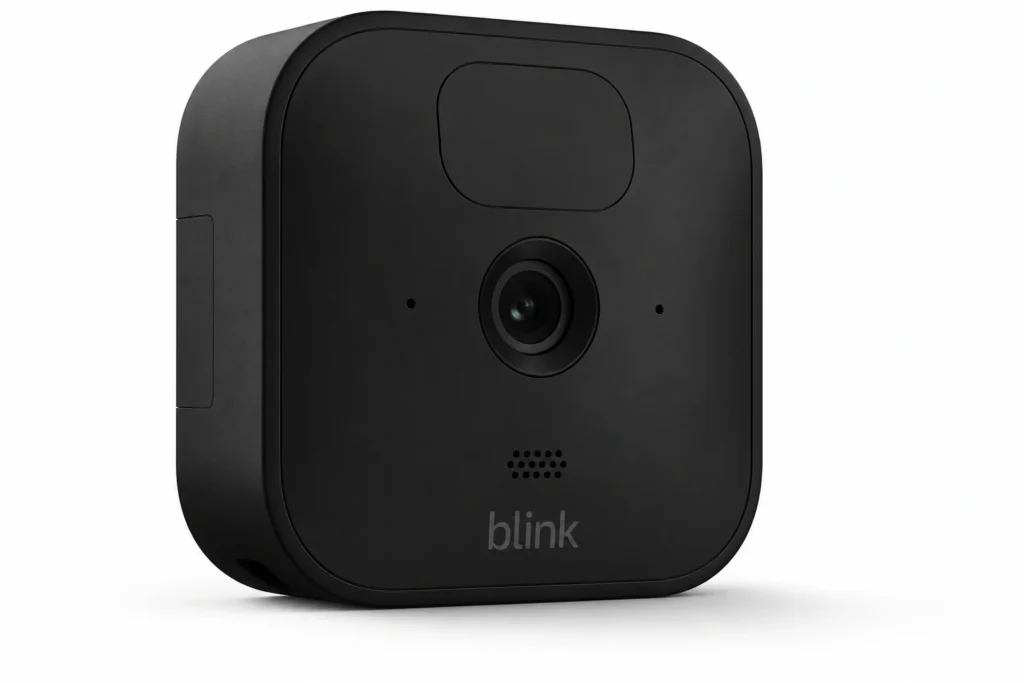
The Blink Outdoor 4 delivers the essentials for the lowest realistic price. Its headline trick is battery life: two AA lithium cells rated for up to about two years of use, so you’re not recharging every few weeks. It ships with a Sync Module Core, and adding a Sync Module 2 (USB drive) or Sync Module XR (microSD) unlocks local storage — no subscription required. Its field of view widened to 143° on this generation.
Pros
- One of the lowest entry prices among name-brand cameras
- Up to ~2-year battery life on replaceable AA lithium cells
- No-fee local storage available via Sync Module 2 (USB) or XR (microSD)
- Wide 143° field of view; simple setup; strong Alexa integration
- Person detection available (with subscription)
Cons
- 1080p only — less detail than 2K/4K rivals
- Advanced AI (person detection) needs a Blink Plan
- Local storage hardware (Sync Module 2/XR) is sold separately
- No color night vision; performance dips in very low light
- Not the pick for long-range or no-Wi-Fi mailboxes
Best For
Cost-conscious buyers with Wi-Fi that reaches the mailbox who want a set-and-forget camera without recurring costs.
Why We Recommend It
It’s the best dollar-for-dollar entry point. You get dependable 1080p capture, remarkable battery longevity, and a genuine no-subscription storage path — a rare combination at this price, which is why it anchors our budget slot.
Key Specifications
- Resolution: 1080p (143° field of view)
- Power: 2× AA lithium (up to ~2 years)
- Connectivity: Wi-Fi (2.4 GHz)
- Storage: Local (Sync Module 2/XR, sold separately) or cloud
- Weather rating: IP65
Final Score: 8.5 / 10
Reolink Go PT Ultra — Best Without Wi-Fi
Overview
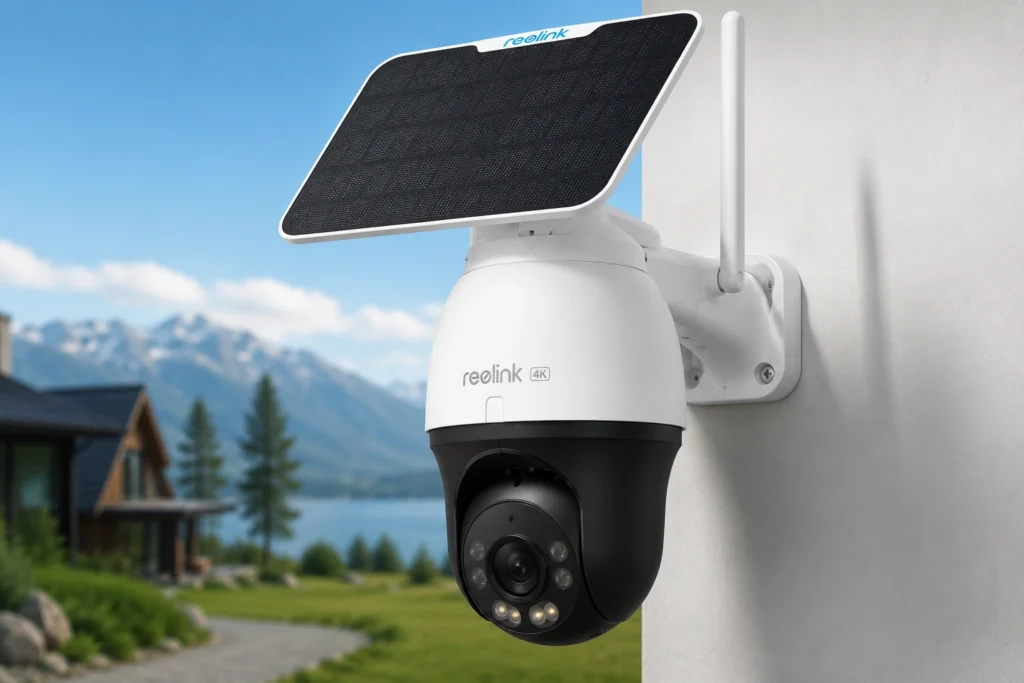
If your mailbox is out of Wi-Fi range a long rural driveway, a curbside box down the block the Reolink Go PT Ultra is built for you. It carries a 4G LTE modem (with a SIM included on many bundles), so it connects over the cellular network with no home internet nearby. Add its 355° pan / 140° tilt head and 4K 8MP sensor and you can cover a wide area and still read detail. Reolink pairs it with a 6W solar panel and a battery rated to last up to about two months on a charge.
Pros
- Built-in 4G LTE works with no Wi-Fi at the mailbox
- 4K (8MP) resolution with pan-and-tilt coverage
- Rechargeable battery plus solar panel option for hands-off power
- Local microSD storage; no mandatory subscription
- Flexible placement anywhere with cell coverage
Cons
- Requires a cellular data SIM/plan (a recurring cost)
- Higher upfront price than basic Wi-Fi cameras
- 4K over cellular can consume significant data
- Overkill if your mailbox is close to the house
Best For
Rural homeowners, long-driveway mailboxes, and anyone whose curb simply has no usable Wi-Fi signal.
Why We Recommend It
It solves the one problem most cameras can’t: connectivity where there’s no Wi-Fi. With cellular data, local storage, and solar power, it can run almost independently at a remote mailbox the clear choice for off-grid curbside spots.
Key Specifications
- Resolution: 4K (8MP), 355° pan / 140° tilt
- Power: 21.6Wh rechargeable battery + 6W solar (up to ~2 months per charge)
- Connectivity: 4G LTE (SIM included on select bundles) + Wi-Fi
- Storage: microSD, 32GB included (up to 128GB)
- Standout feature: Cellular connectivity + pan/tilt
Final Score: 8.7 / 10
eufy SoloCam S340 — Best Without Subscription
Overview
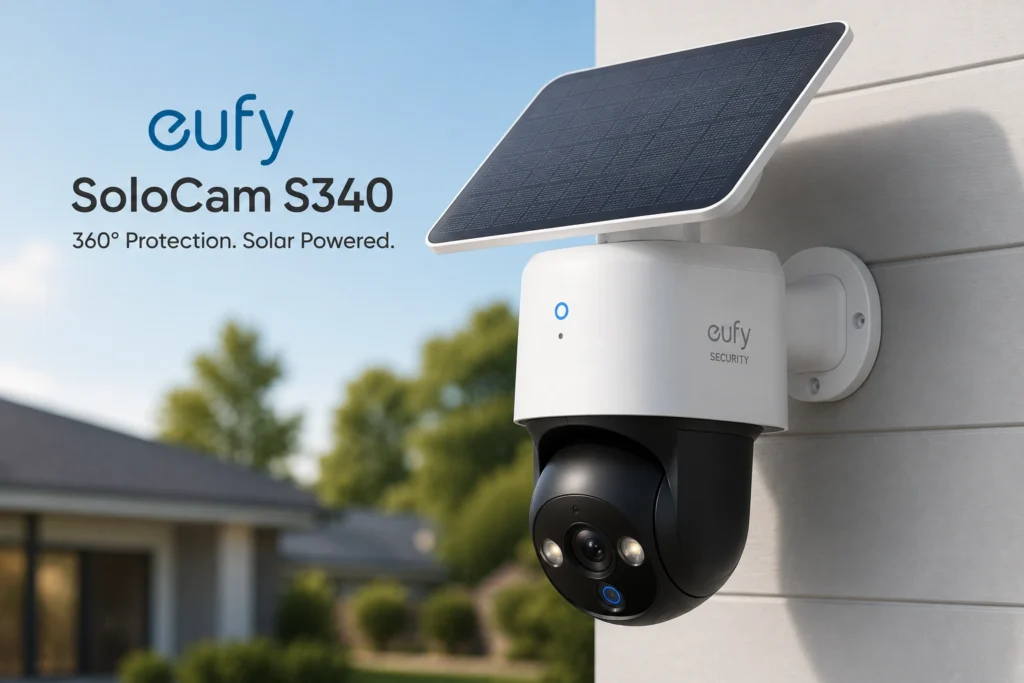
The eufy SoloCam S340 is the standout for people who refuse to pay monthly fees. It records to 8GB of onboard local storage, runs on-device AI, and includes a built-in solar panel that eufy says needs only about two hours of daily sun to stay charged. A dual-camera system — a 3K (2880×1620) wide lens plus a 2K telephoto with 8x hybrid zoom — pairs with 360° pan and 70° tilt to track and zoom on activity.
Pros
- No subscription free 8GB local storage and on-device AI
- Integrated solar panel (~2 hrs of daily sun) for near-continuous power
- Dual-lens (3K wide + 2K telephoto, 8x hybrid zoom) with 360° pan / 70° tilt
- Color night vision and a built-in spotlight
- Weather-resistant; works with major smart-home platforms
Cons
- Higher upfront price than budget cameras
- Local-only storage means video is lost if the camera is stolen
- Solar performance depends on sun exposure at the mount
- App and features have a mild learning curve
Best For
Buyers who want strong AI features and long-term operation with zero recurring costs.
Why We Recommend It
It proves you don’t need a subscription for smart features. Free local storage, on-device detection, and solar power add up to the lowest total cost of ownership among premium picks — the reason it owns the no-subscription category.
Key Specifications
- Resolution: 3K wide (2880×1620) + 2K telephoto (8x hybrid zoom)
- Power: Rechargeable + built-in solar (up to ~3 months battery reserve)
- Connectivity: Wi-Fi (2.4 GHz)
- Storage: 8GB onboard local (no fee; 16GB with HomeBase S380)
- Pan/Tilt: 360° pan / 70° tilt
Final Score: 9.0 / 10
Arlo Pro 5S 2K — Best Premium Pick
Overview
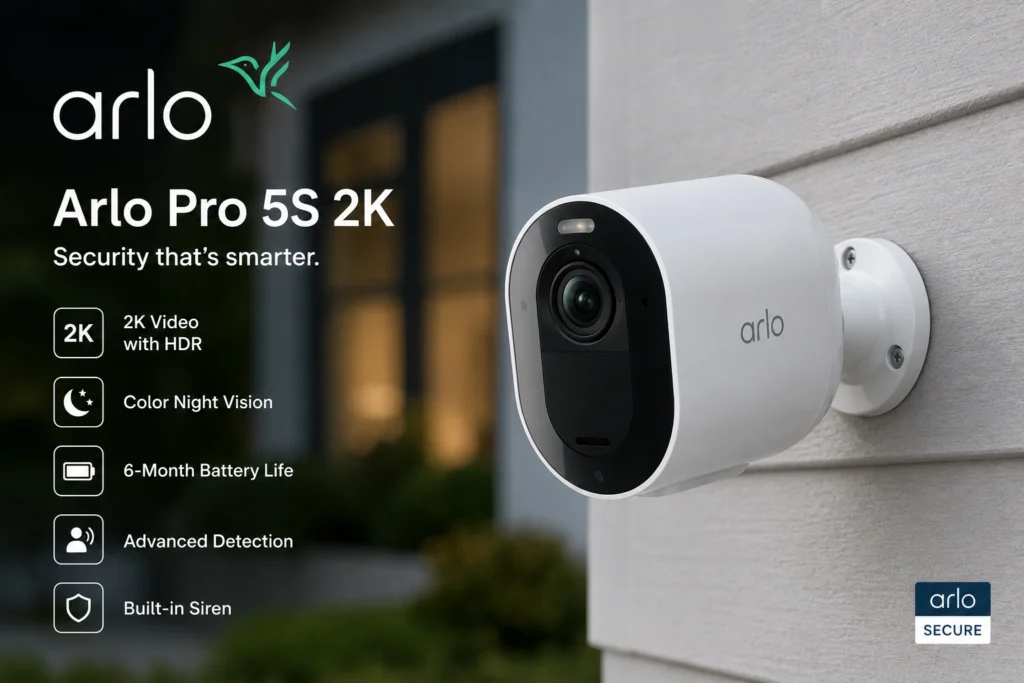
The Arlo Pro 5S 2K is the choice when image quality and software polish come first. It shoots 2K HDR, adds color night vision with an integrated spotlight, and connects over dual-band Wi-Fi. Arlo’s app is among the most refined, with excellent AI detection and activity zones — though the best features live behind an Arlo Secure plan.
Pros
- Sharp 2K HDR video with excellent HDR handling
- Color night vision with spotlight
- Advanced AI: person/vehicle/package/animal detection
- Dual-band Wi-Fi and a clean, powerful app
- Broad smart-home compatibility
Cons
- Full AI and cloud recording require an Arlo Secure subscription
- Premium price
- Battery life is average under heavy motion traffic
- Local storage requires an optional hub
Best For
Buyers who want the clearest footage and smartest alerts and don’t mind paying for a subscription.
Why We Recommend It
It’s the quality leader. When identifying a face, vehicle, or clothing detail matters most, Arlo’s 2K HDR and color night vision deliver the most usable footage of any pick here worth the premium for security-first homeowners.
Key Specifications
- Resolution: 2K HDR
- Power: Rechargeable battery
- Connectivity: Dual-band Wi-Fi
- Storage: Cloud (subscription); local via optional hub
- Standout feature: Color night vision + advanced AI
Final Score: 8.8 / 10
Reolink Argus 4 Pro — Best Wide-View Value (No Fees)
Overview
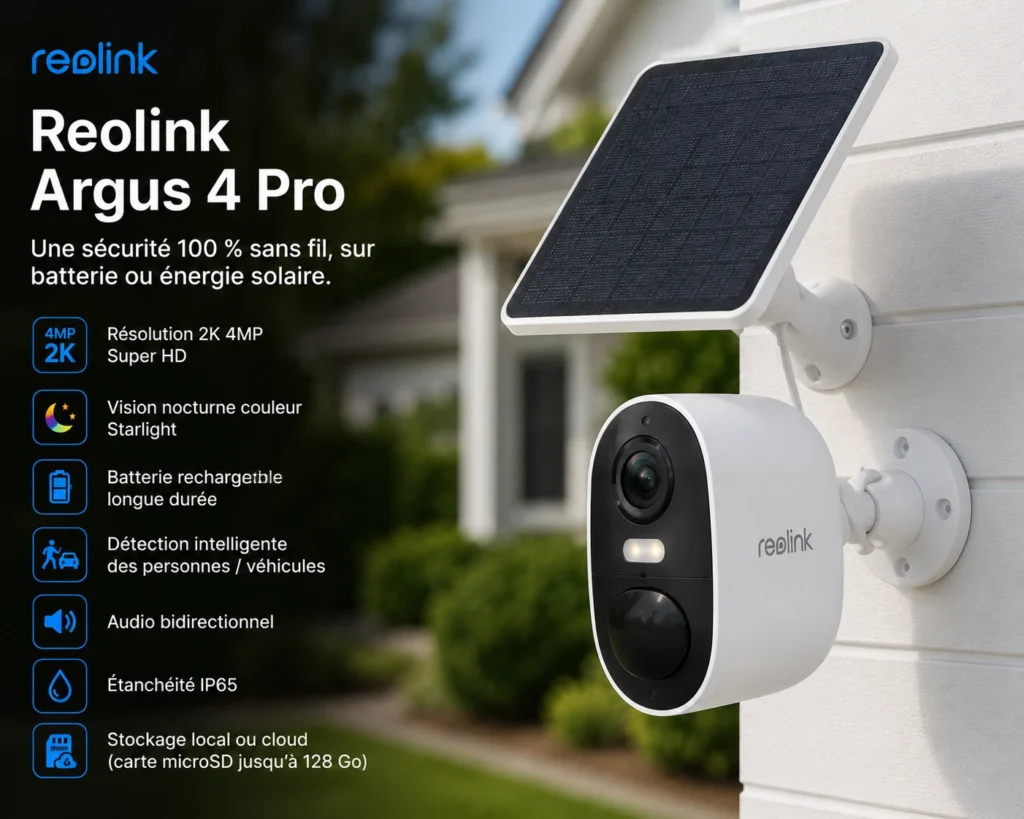
The Reolink Argus 4 Pro pairs a dual-lens, ultra-wide ~180° field of view with 4K capture and Reolink’s ColorX low-light sensor — all with no subscription. Its Wi-Fi 6 radio helps maintain a solid connection at range, and it records to a local microSD card. It’s a lot of camera for buyers who want to see the whole approach to the mailbox.
Pros
- Ultra-wide ~180° coverage from a dual-lens design
- 4K resolution with ColorX color night vision
- No monthly fee — local microSD storage
- Wi-Fi 6 for better range and throughput
- Solar panel compatible for hands-off power
Cons
- Wide-angle view can distort edges of the frame
- Local-only storage (vulnerable if stolen)
- Larger footprint than compact cameras
- Best value only if you skip Reolink’s cloud add-ons
Best For
Homeowners who want to watch the mailbox and the surrounding yard in one wide shot, without paying monthly.
Why We Recommend It
It offers the widest coverage-per-dollar with no strings attached. The 180° view captures context most cameras miss approach, vehicle, and exit — while local storage keeps it fee-free.
Key Specifications
- Resolution: 4K (dual-lens, ~180° FOV)
- Power: Rechargeable + solar
- Connectivity: Wi-Fi 6
- Storage: microSD (local)
- Standout feature: Ultra-wide dual-lens view
Final Score: 8.6 / 10
Wyze Battery Cam Pro — Best Value AI Detection
Overview
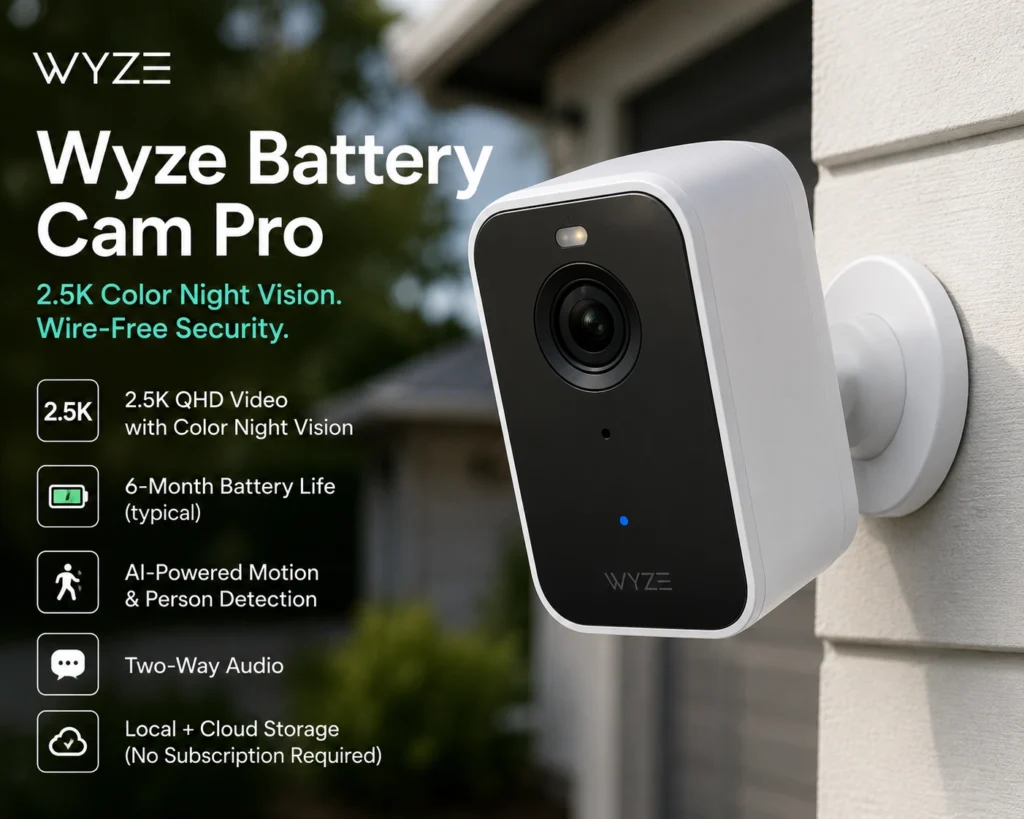
The Wyze Battery Cam Pro packs surprising capability into a low price: 2.5K resolution, color night vision, and on-device person, vehicle, and pet detection. It supports both microSD local storage and optional Cam Plus cloud. For buyers who want smart alerts without spending premium money, it’s a genuine value.
Pros
- 2.5K resolution at a budget-friendly price
- On-device AI (person/vehicle/pet) available
- Color night vision with spotlight
- Local microSD and optional cloud storage
- IP65 weather resistance
Cons
- Some advanced AI and features favor a Cam Plus plan
- Wi-Fi range can struggle at distant mailboxes
- App experience is improving but less polished than Arlo/Ring
- Battery life varies with motion volume
Best For
Budget buyers who still want AI-filtered alerts and higher-than-1080p detail.
Why We Recommend It
It punches above its price. The mix of 2.5K, on-device AI, and flexible storage delivers features usually reserved for pricier cameras — a smart pick for value-focused shoppers.
Key Specifications
- Resolution: 2.5K
- Power: Rechargeable battery
- Connectivity: Wi-Fi (2.4 GHz)
- Storage: microSD + optional cloud
- Weather rating: IP65
Final Score: 8.3 / 10
Installation Tips
Good footage is 80% placement. Even the best camera fails if it’s aimed wrong or mounted where it can’t reach your network. Here’s how to set up a mailbox camera that actually captures usable video.
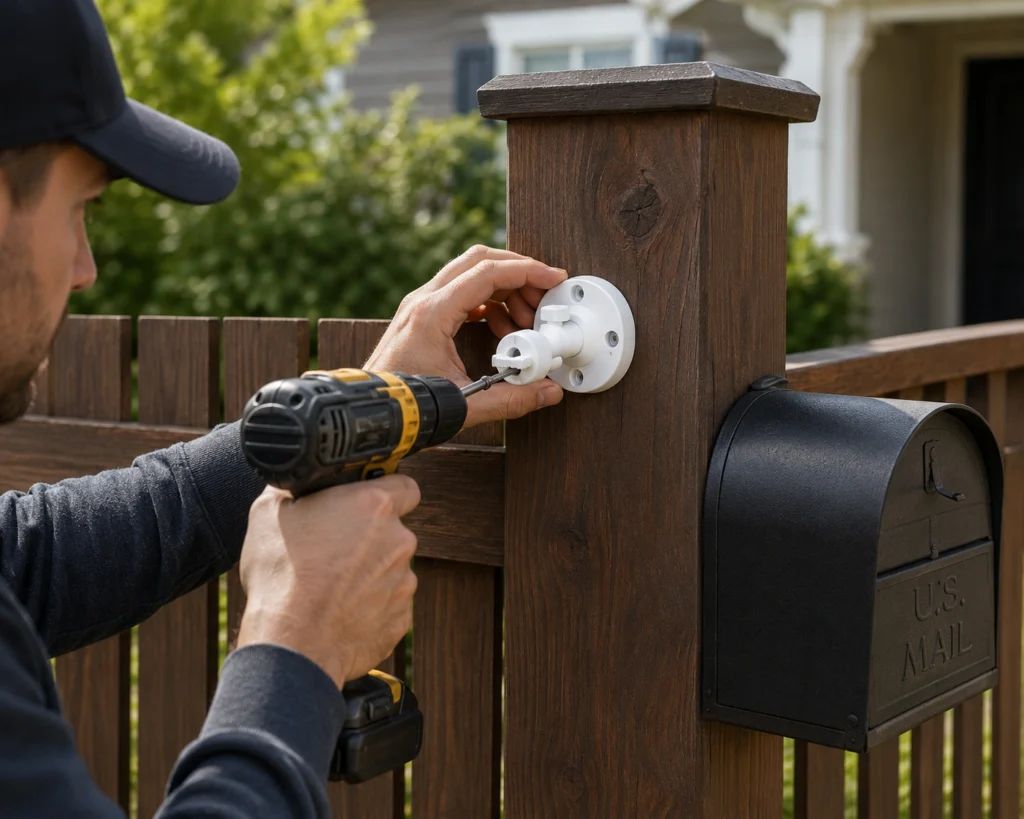
- Mount 7–10 feet high, angled down. This frames faces (not just the tops of heads) and keeps the camera out of easy reach.
- Frame the approach, not just the box. Capture where a person comes from and goes to, plus any vehicle at the curb that’s what identifies a suspect.
- Check your Wi-Fi signal first. Stand at the mailbox with your phone and test the signal. Weak? Plan for a Wi-Fi extender or choose a cellular camera like the Reolink Go PT Ultra.
- Point away from the street when possible. Reduce false alerts and glare from passing headlights by angling toward your property.
- Face north or shade the lens. Direct sun into the lens washes out footage and can trigger false motion. Avoid aiming straight at sunrise/sunset.
- Set motion zones and sensitivity. Exclude the public sidewalk and road; focus detection on the mailbox and walkway.
- Disable audio if unsure. Given state audio-recording laws, turn off audio unless you’ve confirmed it’s allowed where you live.
- Optimize solar placement. If using a solar panel, give it several hours of direct daily sun and clean it seasonally.
- Don’t obstruct the carrier. Mount on your own post, wall, or stake — never in a way that blocks mail delivery or attaches to the postal receptacle improperly.
Common Mistakes to Avoid
Most mailbox-camera disappointments trace back to a handful of avoidable errors. Steer clear of these and your setup will actually deliver when it counts.
- Buying a Wi-Fi camera for a far-off mailbox. If the signal doesn’t reach, the camera is useless. Test first, or go cellular.
- Mounting too high or too far. Distant, top-down shots capture hats and shoulders, not faces. Get closer and lower your angle.
- Ignoring night vision quality. Mail theft often happens after dark. Skimping on low-light or color night vision means unusable nighttime clips.
- Overlooking the subscription trap. Some cameras are near-useless without a monthly plan. Decide upfront whether you’ll pay or choose a no-fee, local-storage model.
- Leaving audio on in a two-party consent state. This can create legal exposure. When unsure, turn audio off.
- Aiming at a neighbor’s property. Framing a neighbor’s windows or yard invites complaints and liability. Keep the shot on your own space.
- Forgetting battery maintenance. Non-solar cameras die at the worst time. Set charge reminders or pick a solar/AA-lithium model.
- Skipping motion zones. Default settings flood you with alerts from every passing car, so you start ignoring notifications including the real one.
- Relying only on the camera as a deterrent. A camera documents; it doesn’t physically stop theft. Pair it with a locking mailbox for real protection.
- Storing video only on the camera when theft is the threat. If a thief takes the camera, local-only footage goes with it. Consider cloud backup or a hidden second camera for high-risk spots.
Frequently Asked Questions
Do mailbox cameras really deter mail theft?
A visible camera deters casual and opportunistic thieves, who tend to avoid being recorded. It won’t stop a determined criminal, but it captures the time-stamped footage police and the U.S. Postal Inspection Service need to investigate. For real protection, pair a camera with a locking, anti-theft mailbox.
Can I put a camera on or inside my mailbox?
You should avoid attaching hardware to the USPS receptacle or interfering with mail delivery, since tampering with a mailbox is a federal matter. Instead, mount the camera near the mailbox on your own post, wall, fence, or a separate stake angled to watch the box and the approach.
Is it legal to record my mailbox area?
In the U.S., you can generally record video of your own property, including a curbside mailbox, where there’s no reasonable expectation of privacy. Audio is the catch: many states require all-party consent. Disable audio unless you’ve confirmed your state’s law. This is general information, not legal advice.
Do I need a subscription for a mailbox camera?
No. Cameras like the eufy SoloCam S340, Reolink Argus 4 Pro, and Blink Outdoor 4 (with Sync Module 2) offer free local storage and, in some cases, on-device AI. Subscriptions from Ring or Arlo add cloud video history and advanced AI, but they’re optional for basic recording on many models.
What if my mailbox has no Wi-Fi nearby?
Choose a cellular (4G LTE) camera such as the Reolink Go PT Ultra. It uses the mobile network and a data SIM instead of home Wi-Fi, so it works at long driveways and rural mailboxes. The trade-off is a recurring data-plan cost. Alternatively, extend your Wi-Fi to the curb.
How long do mailbox camera batteries last?
It varies widely. Rechargeable cameras typically last weeks to a few months per charge, depending on motion volume and settings. The Blink Outdoor 4’s AA lithium cells are rated for up to about two years. Solar-equipped models (eufy, Reolink) can run nearly indefinitely with adequate sunlight.
What resolution do I need to identify a thief?
1080p is the minimum for recognizing a person at close range; 2K or 4K gives you room to zoom in on faces, clothing, and license plates. Field of view and night-vision quality matter just as much a sharp sensor is wasted if the frame is too wide or too dark.
Will a mailbox camera work with Alexa or Google Home?
Most will. Ring and Blink integrate tightly with Amazon Alexa; Arlo and eufy support Alexa and Google Home (and select Apple Home setups). Integration lets you pull up the mailbox feed on a smart display or fold it into automations. Check each model’s current compatibility before buying.
Can I use a video doorbell as a mailbox camera?
Only if your mailbox is a wall-mounted or door-side box within the doorbell’s field of view. For curbside mailboxes far from the door, a dedicated battery or cellular camera is the better tool.
Where to Buy a Mailbox Camera
Every camera in this guide is sold through major online retailers and the manufacturers’ own stores. Buying from an authorized seller matters more than shaving a few dollars it protects your warranty and guarantees you get the current hardware revision, not old stock.
- Amazon is the fastest route for most of these picks, with the widest bundle selection (extra batteries, solar panels, mounting kits).
- The manufacturer’s website (Ring, Blink, Reolink, eufy, Arlo, Wyze) often runs the best sales on multi-camera bundles and honors warranty claims directly.
- Big-box retailers like Best Buy, Walmart, and Lowe’s stock the mainstream models and are handy if you’d rather buy in person and skip shipping.
A few buying tips before you check out:
- Watch for bundles. A camera packaged with its solar panel or extra battery is usually cheaper than buying the parts separately — worth it for a curbside mailbox you don’t want to recharge often.
- Confirm the model year. Listings sometimes mix generations. Match the exact model name in our tables to avoid buying an older version.
- Factor in recurring costs. For subscription cameras (Ring, Arlo), add the monthly plan to your total. No-fee picks (eufy, Reolink) cost more upfront but nothing after.
Prices change often. Check current pricing and availability at the retailer before you buy deals on these cameras rotate frequently, especially around Prime Day, Black Friday, and the holiday shipping season.
Use the links in our comparison tables above to check today’s price on each pick.
Final Verdict
There’s no single “best” mailbox camera only the best one for your curb, your budget, and your tolerance for monthly fees. Here’s how to decide quickly:
- Want the most reliable, no-headache option? Get the Ring Stick Up Cam Pro. Its stable app, accurate radar motion, and huge ecosystem make it the safe overall pick — just budget for the subscription.
- Shopping on a tight budget? The Blink Outdoor 4 delivers dependable 1080p, ~2-year battery life, and a genuine no-fee storage path for the lowest realistic price.
- No Wi-Fi at the mailbox? The Reolink Go PT Ultra and its built-in 4G LTE is the only category that solves that problem perfect for rural and long-driveway boxes.
- Refuse to pay monthly? The eufy SoloCam S340 combines free local storage, on-device AI, and solar power for the lowest long-term cost.
- Want the sharpest, smartest footage? The Arlo Pro 5S 2K leads on 2K HDR image quality and color night vision — the premium security-first choice.
Whichever you choose, remember the fundamentals: mount it low enough to catch faces, kill the audio unless your state allows it, keep the frame on your own property, and pair the camera with a locking mailbox. A camera documents theft; smart placement and a secure box help prevent it.
External Sources & References
- SafeWise — 2025 Package Theft Report and Worst Metro Cities for Porch Pirates (nearly 250,000 packages stolen daily; ~$15B in 2025): https://www.safewise.com/research/porch-pirate-package-theft/ (retrieved 2026-07-21)
- Federal News Network — USPS mail theft led to $688M in “suspicious activity” tied to check fraud (citing USPS OIG): https://federalnewsnetwork.com/agency-oversight/2024/09/usps-mail-theft-led-to-688m-in-suspicious-activity-tied-to-check-fraud/ (retrieved 2026-07-21)
- U.S. Postal Inspection Service (USPIS) — mail theft reporting and prevention: https://www.uspis.gov/ (retrieved 2026-07-21)
- United States Postal Service (USPS) — mail and mailbox guidance: https://www.usps.com/ (retrieved 2026-07-21)
- Cornell Law School, Legal Information Institute — privacy and recording law overview: https://www.law.cornell.edu/ (retrieved 2026-07-21)
- Manufacturer official specifications: Ring, Blink, Reolink Go PT Ultra, eufy SoloCam S340, Arlo, and Wyze product pages (retrieved 2026-07-21)
Editorial note: This guide is based on official manufacturer specifications and each product’s widely recognized strengths and limitations. It does not include first-hand lab testing. Specifications and features change frequently — verify current details on the manufacturer’s website before purchasing. Legal information here is general and not a substitute for advice from a licensed attorney.